

TL;DR:
- Using the “Auto” setting on your thermostat limits the blower fan to active heating or cooling, saving energy and reducing wear. The “On” mode runs the fan continuously, increasing costs, filter replacements, and duct heat gain. Smart thermostats automate fan control, optimizing comfort and efficiency with features like Hold and Minimum On Time.
The fan setting on your thermostat controls when your HVAC system’s blower fan runs, and choosing the wrong mode costs you money every month. Most thermostats offer two primary options: “On” and “Auto.” Some models, including smart thermostats like ecobee, add a third called “Circulate.” Understanding how each fan mode on thermostat works is the fastest way to cut energy waste and improve comfort in your home.
What does the fan setting on a thermostat actually do?
The fan setting controls your indoor blower fan, not your outdoor unit. The blower is the fan inside your air handler that pushes conditioned air through your ducts and into your rooms. When you change this setting, you change when and how often that fan runs.
Three thermostat fan options cover most residential systems:
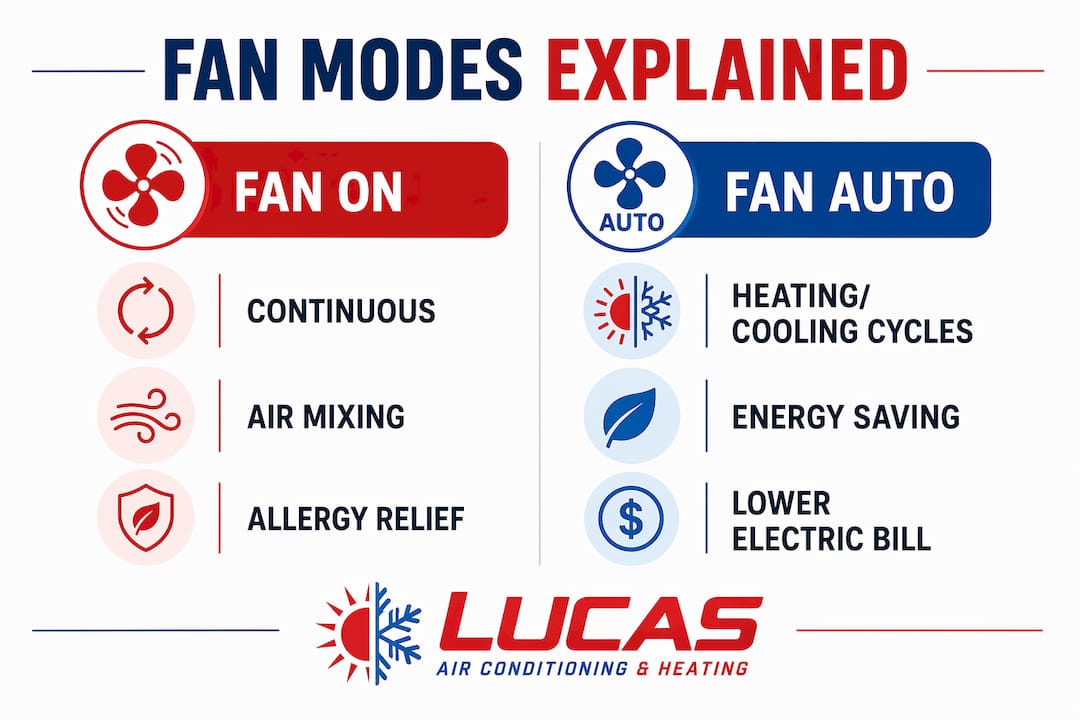
- On: The blower runs continuously, 24 hours a day, regardless of whether your system is heating or cooling.
- Auto: The blower runs only during active heating or cooling cycles, then shuts off.
- Circulate: The blower runs continuously but at a lower speed than “On.” Not all thermostats include this mode.
The difference between “On” and “Auto” is purely about timing. “On” means you feel airflow at your vents at all times. In “Auto” mode, airflow is only present during active cycles, with the fan engaging roughly 30–60 seconds after the system starts and stopping shortly after the cycle ends. That delay is intentional. It gives the heat exchanger or evaporator coil time to reach full temperature before pushing air through your home.
| Mode | When fan runs | Best for |
|---|---|---|
| On | Continuously, always | Air mixing, allergy relief |
| Auto | Only during heating/cooling cycles | Energy savings, typical daily use |
| Circulate | Continuously at reduced speed | Gentle air movement with lower energy draw |
How do fan settings impact energy use and maintenance?
Running the fan continuously in “On” mode increases your electricity bill. The blower motor draws power whether your system is conditioning air or not. That extra runtime adds up fast, especially in Central Florida where HVAC systems run hard through long, hot summers.
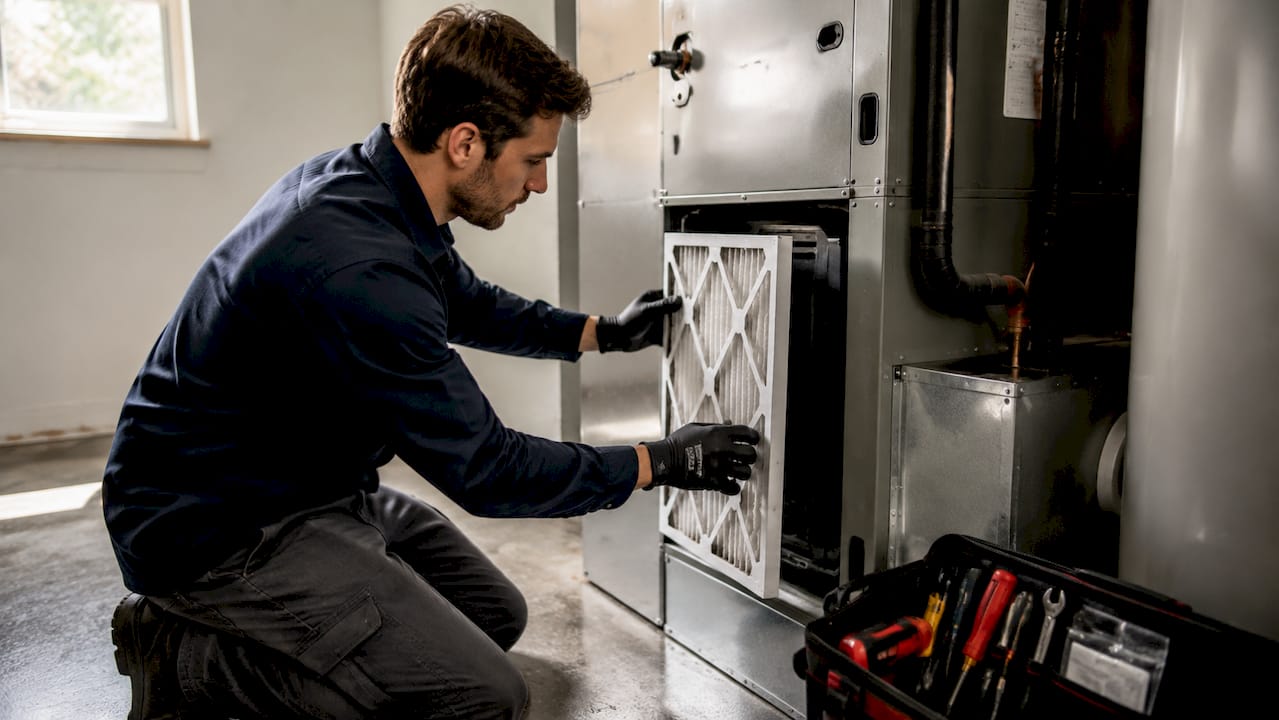
Continuous fan operation also leads to more frequent air filter replacements. More airflow means more dust, pollen, and debris pulled through the filter. A filter that lasts 60–90 days on “Auto” may need replacement in 30 days on “On.” That is a direct maintenance cost most homeowners overlook.
There is a second, less obvious problem. When the fan runs without an active cooling or heating cycle, it pulls air through ducts that are not insulated from the surrounding environment. In summer, those ducts sitting in a hot attic transfer heat into the airstream. Circulating unconditioned air through warm ductwork forces your AC to work harder to compensate. Your energy bill goes up without any improvement in comfort.
Key maintenance impacts of fan mode choice:
- Filter life: “On” mode shortens filter life significantly.
- Blower wear: More runtime means more mechanical wear on the blower motor.
- Duct heat gain: Summer “On” mode pulls heat into conditioned air through duct walls.
- System cycles: Longer fan runtime can mask thermostat calibration issues.
Pro Tip: If you switch to “On” mode temporarily, set a phone reminder to check your filter within two weeks. Clogged filters restrict airflow and force your system to work harder, which raises bills and shortens equipment life.
When should you use “On,” “Auto,” or “Circulate”?
Auto is the right default for most homes on most days. It limits fan runtime to when your system is actively conditioning air, which keeps electricity use low and reduces wear on your blower motor. If you have no specific comfort complaints, “Auto” is the answer.
Switch to “On” temporarily in these situations:
- Hot or cold spots in your home. If one room runs warmer or cooler than the rest, running the fan continuously mixes air across your duct system and reduces those temperature gaps.
- Allergy season or poor air quality days. Continuous fan operation pushes more air through your filter, which captures more airborne particles. This benefits households with allergy sufferers or pets.
- Guests or gatherings. More people in a space generate more heat and humidity. Running the fan on “On” during a party helps distribute conditioned air more evenly.
- Stale air or odors. After cooking or painting, continuous airflow moves stale air through your filter faster than waiting for the next cooling cycle.
- Mild weather days. When your system barely runs because outdoor temperatures are comfortable, switching to “On” briefly keeps air moving without a big energy penalty.
“Circulate” mode, where available, is a middle ground. It runs the blower at reduced speed, so energy draw is lower than full “On” mode. Thermostats like ecobee support this mode and it works well for homeowners who want consistent airflow without committing to full continuous operation. The tradeoff is that reduced speed means less air movement per hour, so it is less effective at clearing hot spots quickly.
The honest answer is that fan mode selection is not a permanent choice. Treat “Auto” as your baseline and adjust based on what is happening in your home that day.
How do smart thermostats handle fan control?
Smart thermostats add a layer of control that standard models cannot match. The ecobee Smart Si, for example, includes a manual fan “Hold” feature. This lets you run the fan on “On” for a set duration, such as 2 or 4 hours, and then automatically revert to your scheduled fan mode when the hold expires. You get the benefit of continuous airflow without accidentally leaving the fan running all night.
The ecobee also includes a “Minimum On Time” feature. This setting periodically runs the blower during off-cycle periods to maintain temperature consistency throughout your home. It is a smarter version of “Circulate,” because the thermostat calculates when to run the fan based on your schedule and temperature readings rather than running it blindly at all times.
These features matter because they solve the core problem with manual fan control. Most homeowners switch to “On,” forget about it, and pay higher bills for weeks. Smart thermostat automation removes that risk. If you are considering an upgrade, reviewing smart thermostat options by budget is a practical starting point before making a purchase.
Pro Tip: If your smart thermostat has a “Minimum On Time” setting, start with 20–30 minutes per hour. That is enough to keep air moving and reduce hot spots without the energy cost of full continuous operation.
Tips for getting the most from your fan control on thermostat
Getting the most from your thermostat fan settings comes down to a few consistent habits rather than one perfect setting.
- Default to “Auto.” Using Auto as your default reduces electricity use and extends blower motor life. This is the right choice for most homes on most days.
- Use “On” with intention. Switch to “On” for specific situations like hot spots, allergy flare-ups, or gatherings. Set a timer so you remember to switch back.
- Change filters on schedule. If you run “On” mode regularly, check your filter every 30 days. A dirty filter undoes any comfort benefit from increased airflow.
- Use smart thermostat schedules. Program your thermostat to run the fan on “On” during peak occupancy hours and revert to “Auto” overnight. This is exactly what Lucasair recommends to homeowners in Central Florida looking to cut bills without sacrificing comfort. For more on energy saving strategies, Lucasair covers Central Florida-specific tips in detail.
- Book annual maintenance. A well-maintained blower motor and clean duct system make every fan mode more effective. Dirty blowers and clogged ducts reduce airflow regardless of your setting. Staying current on HVAC preventative maintenance protects your investment and keeps your fan running efficiently.
Pro Tip: Monitor your energy bill for two months after changing your fan setting. If your bill rises without a comfort improvement, switch back to “Auto.” Your bill is the most honest feedback you have.
Key Takeaways
The most effective fan control strategy is to use “Auto” as your daily default and switch to “On” only for specific comfort needs like hot spots, allergy relief, or gatherings.
| Point | Details |
|---|---|
| Auto is the default | “Auto” limits fan runtime to active cycles, reducing electricity use and blower wear. |
| On mode has real costs | Continuous fan operation increases filter replacement frequency and can raise energy bills. |
| Smart thermostats add control | Features like ecobee’s Hold mode and Minimum On Time automate fan behavior without waste. |
| Circulate is a middle ground | Lower-speed continuous airflow balances comfort and energy use when your thermostat supports it. |
| Maintenance follows fan use | More fan runtime means more frequent filter checks and greater attention to blower condition. |
What I’ve learned from watching homeowners use fan settings wrong
Most homeowners set their fan to “On” once during a hot spell and never change it back. I have seen this pattern repeatedly. The intention is good. The execution costs them money for months without any lasting comfort benefit.
The real issue is that “On” mode is not a comfort upgrade. It is a tool for specific situations. Using it as a permanent setting is like leaving your car running in the driveway because you might need to go somewhere later. The cost is real. The benefit is not.
What actually works is treating your thermostat fan like a variable rather than a switch. “Auto” handles 90% of your days. “On” handles the other 10%, and only when you have a clear reason. Smart thermostats make this easier because they automate the switching. If you are still on a manual thermostat, the discipline has to come from you.
The maintenance angle is the part most guides skip. Running your fan continuously without adjusting your filter schedule is a guaranteed way to reduce your system’s efficiency. A clogged filter on a continuously running blower is worse than either problem alone. If you take one thing from this, make it this: your fan setting and your filter schedule are connected. Change one, and you need to revisit the other.
— Lucasair
How Lucasair helps you get your HVAC settings right
Getting your fan settings dialed in is easier when your system is in good shape to begin with. Lucasair serves homeowners and businesses across Central Florida with HVAC installation, repairs, tune-ups, and preventative maintenance.

If you are unsure whether your current thermostat supports “Circulate” or smart fan scheduling, Lucasair can assess your system and recommend the right upgrade path. From new HVAC installation to blower maintenance and smart thermostat programming, the team at Lucasair handles the technical side so you can focus on staying comfortable. Lucasair also offers preventative maintenance agreements that keep your filters, blower, and thermostat performing at their best year-round.
FAQ
What is the best fan setting on a thermostat for saving energy?
“Auto” is the most energy-efficient fan setting because it runs the blower only during active heating or cooling cycles. Continuous “On” mode increases electricity use by running the blower even when no conditioning is happening.
Does running the fan on “On” improve air quality?
Yes, continuous fan operation pushes more air through your filter, which captures more airborne particles. This benefits allergy sufferers, but the tradeoff is higher energy costs and faster filter replacement.
How often should I change my filter if I use “On” mode?
Check your filter every 30 days when running the fan continuously. Standard filter replacement intervals are designed for “Auto” mode and do not account for the increased airflow of continuous operation.
What is the “Circulate” fan mode on a thermostat?
“Circulate” runs the blower continuously at a lower speed than “On” mode. It provides gentle air movement with less energy draw and is available on select thermostats including some ecobee models.
Can a smart thermostat automate my fan settings?
Yes. Smart thermostats like ecobee include Hold modes that run the fan for a set duration and then revert automatically, plus a Minimum On Time feature that periodically runs the blower to maintain temperature consistency without continuous operation.
Recommended
- Air Conditioning Terminology: A Homeowner’s Guide – Lucas Air Conditioning and Heating
- Step by Step HVAC Repair Guide for Homeowners – Lucas Air Conditioning and Heating
- Essential HVAC Preventative Maintenance Guide for Homeowners
- Step by Step AC Troubleshooting for Homeowners – Lucas Air Conditioning and Heating
